Run dbt Commands
Run dbt Core commands against the active revision of a transformation project.
Run a Command
- Open a transformation project
- Click Run dbt command
- Choose a command
- Add selectors, exclusions, variables, threads, or full refresh when available
- Click Run [command]
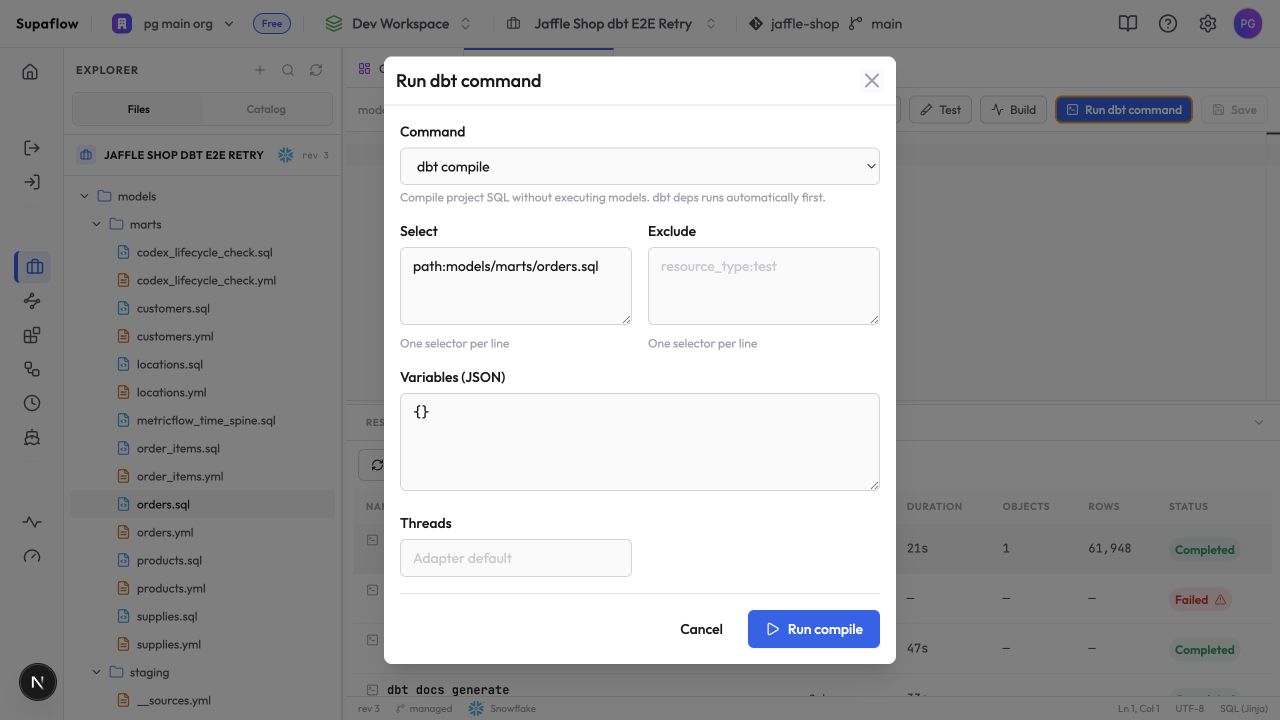
Supaflow runs dbt deps automatically before the selected command. Track the command under Jobs in the project. Activities provides workspace-wide job history.
Commands run against the datasource and target configured for the transformation project. dbt run, dbt seed, dbt snapshot, and dbt build can create or update warehouse objects. Use a dedicated development schema, dataset, or namespace until the project is ready for a production target.
Supported Commands
| Command | Use it to |
|---|---|
dbt compile | Compile project SQL without building models |
dbt run | Build selected models |
dbt test | Run selected data and unit tests |
dbt seed | Load selected seed files |
dbt snapshot | Run selected snapshots |
dbt build | Run models, tests, seeds, and snapshots in dependency order |
dbt parse | Parse the project and validate its structure |
dbt list | List resources that match the selection |
dbt docs generate | Generate the manifest and catalog used by the project views |
dbt source freshness | Check freshness rules declared for selected sources |
Model Preview runs a scoped dbt show separately and returns up to 100 rows.
dbt can include non-executed resources in its command summary. For example, a saved query that is not exported for the selected target can appear as NO-OP. Review the final job status and Logs rather than treating every non-pass count as a failure.
Command Options
Select and Exclude
Enter one dbt selector per line. When you open the dialog with a SQL model selected, Supaflow pre-fills Select with that model's path.
Example:
tag:daily
path:models/marts
Use Exclude to remove matching resources from the selection. Selectors are available for every supported command except dbt parse.
Variables
Enter dbt variables as a valid JSON object:
{
  "start_date": "2026-07-01",
  "region": "west"
}
Threads
The Threads field is available for every supported command except dbt list and accepts an integer from 1 to 32. Leave it blank to use the project profile default of 4 threads.
Full Refresh
Full refresh is available for dbt run, dbt seed, and dbt build. It asks dbt to rebuild resources that support full refresh. Review the affected models before enabling it on a production target.
Troubleshooting
Command fails before execution
Problem: The job reports a project parsing or dependency error.
Solution: Check dbt_project.yml, package declarations, and YAML syntax. Open Logs for the exact dbt message, then save the corrected file and run the command again.
Selector returns no resources
Problem: The command completes without matching a model, test, seed, snapshot, or source.
Solution: Run dbt list with the same selector. Check resource names, paths, tags, and exclusion rules.
Warehouse permission error
Problem: dbt connects but cannot create, replace, or query a relation.
Solution: Grant the datasource identity the required access on the project's target schema, dataset, or namespace. Check the project target override if one is configured.
Command remains queued
Problem: The dbt job does not start.
Solution: Review the job under Jobs for its current status. Check workspace usage and billing if it reports a capacity or credit error.
Related Pages
- dbt Core transformations
- Validate a dbt project end to end
- Work with a transformation project
- Git workflow
- Orchestrations
- Projects
Support
Need help? Contact us at support@supa-flow.io
 Ask Claude