Notifications
Configure email notifications for pipeline job events. Get alerted when pipelines fail, complete with warnings, or succeed.
To access: Navigate to Settings > Notifications in the sidebar.
Overview
Supaflow sends email notifications when pipeline jobs complete. You control which event types trigger notifications and how often they are delivered.
Notifications work at two levels:
- Workspace defaults -- Apply to all pipelines unless overridden
- Per-pipeline overrides -- Override workspace defaults for a specific pipeline
When you create a pipeline, Supaflow automatically subscribes you to Failure and Warning notifications for that pipeline.
Workspace-wide Notifications
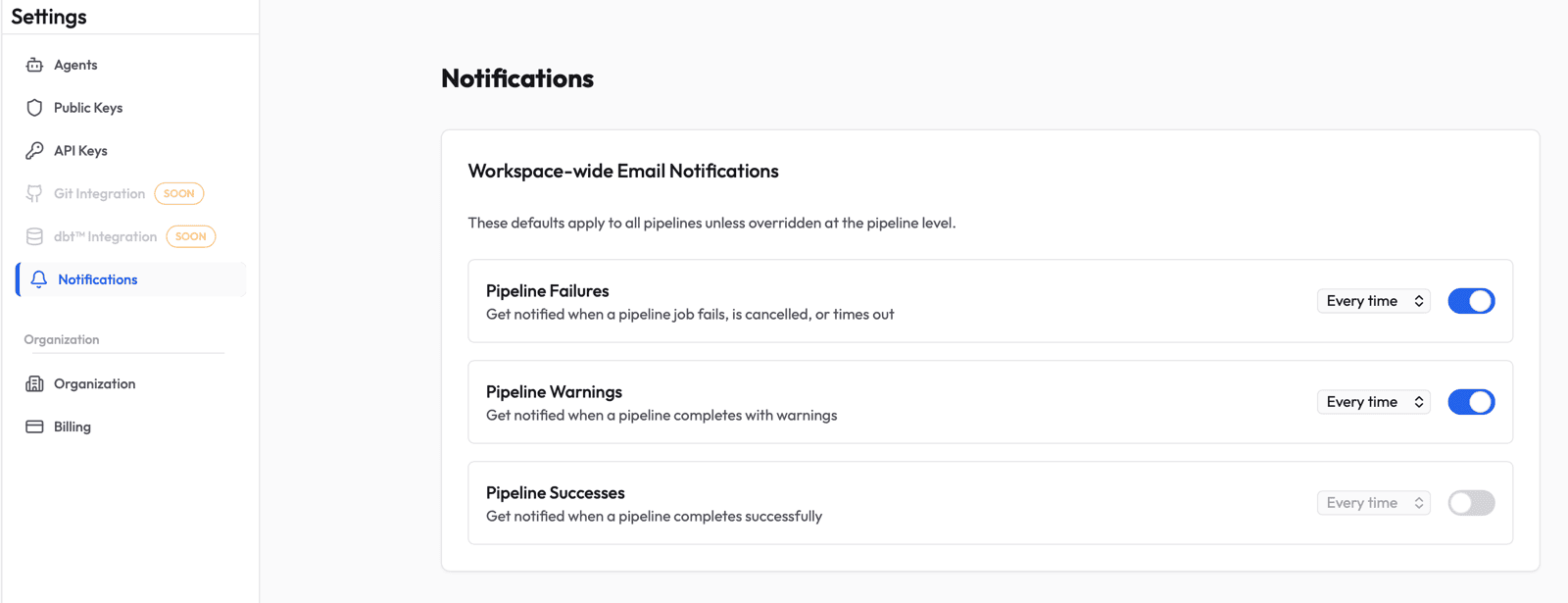
Set your default notification preferences from Settings > Notifications. These defaults apply to all pipelines in the workspace unless a pipeline has explicit overrides.
Notification Types
| Type | Description |
|---|---|
| Pipeline Failures | Job failed, was cancelled, or timed out |
| Pipeline Warnings | Job completed with warnings |
| Pipeline Successes | Job completed successfully |
All three types default to off at the workspace level. However, when you create a pipeline, Supaflow automatically subscribes you to Failure and Warning notifications at the pipeline level (see Auto-Subscription).
Frequency Options
Each notification type can be delivered at a different frequency:
| Frequency | Behavior |
|---|---|
| Every time | Send an individual email for each event as it occurs (checked every 2 minutes) |
| Daily digest | Batch all events into a single daily summary email (sent at 08:00 UTC) |
To change frequency, use the dropdown next to each notification type. The frequency dropdown is only active when the notification type is enabled.
Per-Pipeline Notifications
Override workspace defaults for any individual pipeline from its Settings tab.
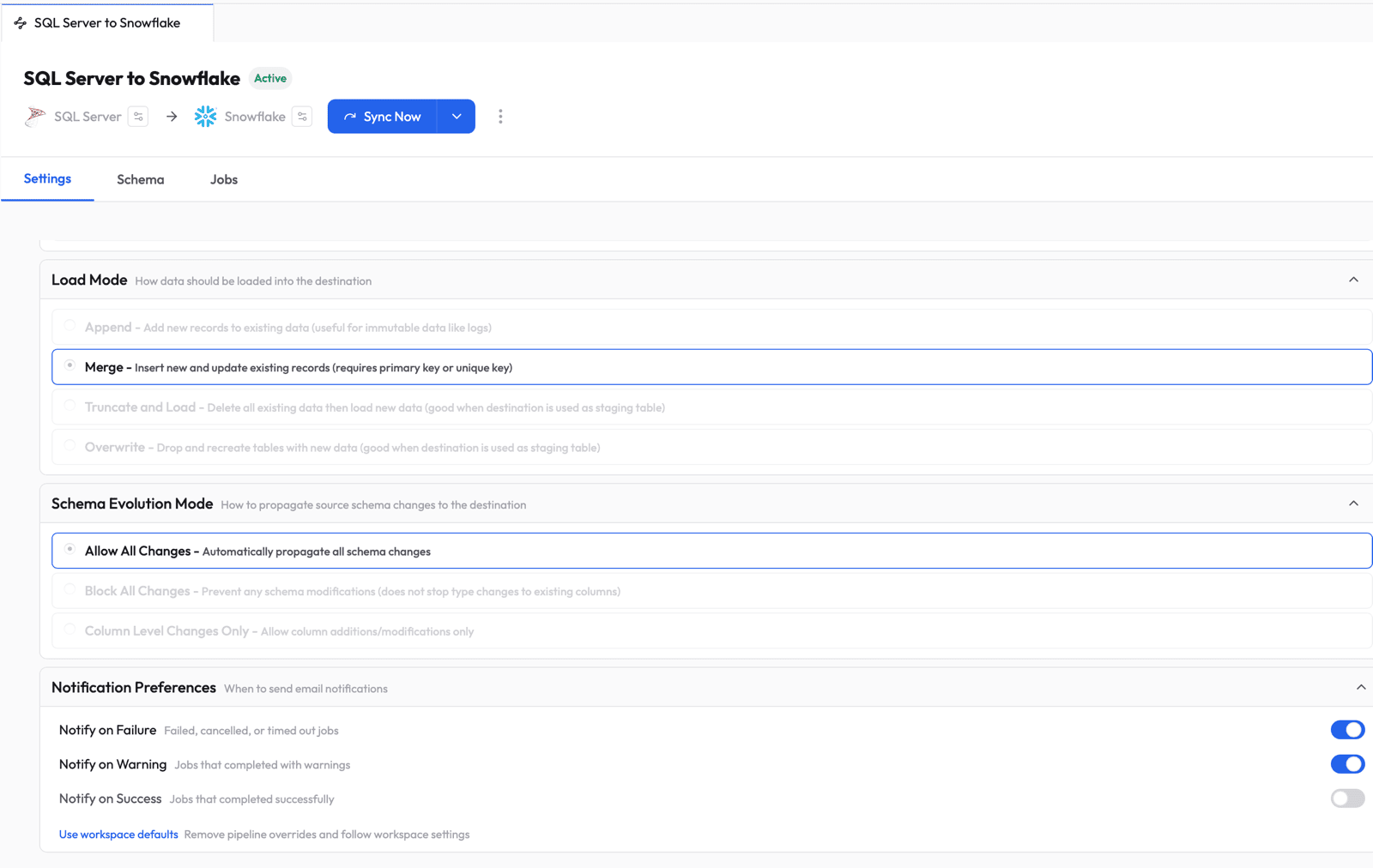
To access: Open a pipeline, go to the Settings tab, and expand Notification Preferences.
Each toggle creates an explicit override for that pipeline. When an override exists, changes to your workspace defaults will not affect that pipeline.
Restoring Workspace Defaults
If you have per-pipeline overrides and want to revert to your workspace defaults, click Use workspace defaults below the toggles. This removes all pipeline-level overrides so the pipeline follows your workspace notification settings again.
How It Works
- A pipeline job completes (success, failure, or warning)
- Supaflow resolves which users should be notified based on their subscription settings
- For every time frequency: an email is queued and sent within 2 minutes
- For daily digest frequency: the event is batched and included in the next daily summary at 08:00 UTC
Auto-Subscription
When you create a pipeline, Supaflow automatically subscribes the pipeline creator to Failure and Warning notifications. You can adjust or disable these from the pipeline settings or workspace notifications page at any time.
Notification Inheritance
Supaflow resolves notifications using this priority:
- Explicit pipeline override -- If you toggled a notification type on/off for a specific pipeline, that setting is used
- Workspace default -- If no pipeline override exists, your workspace-wide setting applies
- No subscription -- If neither exists, no notification is sent
Related Pages
- Settings - Settings overview
- Ingestion Pipelines - Ingestion pipeline configuration and management
- Activation Pipelines - Activation pipeline configuration and management
- Activities - Monitor pipeline execution status
Support
Questions? Contact us at support@supa-flow.io
 Ask Claude